> For the complete documentation index, see [llms.txt](https://alpha-radar-bot.gitbook.io/doc/llms.txt). Markdown versions of documentation pages are available by appending `.md` to page URLs; this page is available as [Markdown](https://alpha-radar-bot.gitbook.io/doc/alpha-radar-x-ai-crypto-alpha-agents/new-liquidity-scanners.md).
# New Liquidity Scanners
Alpha Radar New Liquidity Scanner is a tool to detect new liquidity deployed on 8 blockchains in real time, 24/7
Supported blockchains: Solana, Ethereum, Base, BSC, Arbitrum, Polygen, Tron, Avalanche
### Versions
New Liquidity Scanner has 2 versions: Free version and Premium version.
In free version, you can gain **basic information** about the token (ex. token address, liquidity) ."
In premium version , you can access **complete information** including "Alpha Score", "Contract Security", "Rug Pull Risk", "Other Risk"
You need to hold 200,000 $ARBOT to access New Liquidity Scanner premium version.
Comparison of free version and premium version:
| Comparison Table | Free Version | Premium Version |
| ----------------- | ------------ | --------------- |
| Required $ARBOT | free | 200k |
| Basic information | v | x |
| Alpha Score | x | v |
| Contract Security | x | v |
| Rug Pull Risk | x | v |
| Other Risks | x | v |
### Step by step guide
**Step 1**: Make sure you have 200,000 ARBOT in your wallet. You can purchase on Uniswap if not having enough ARBOT:
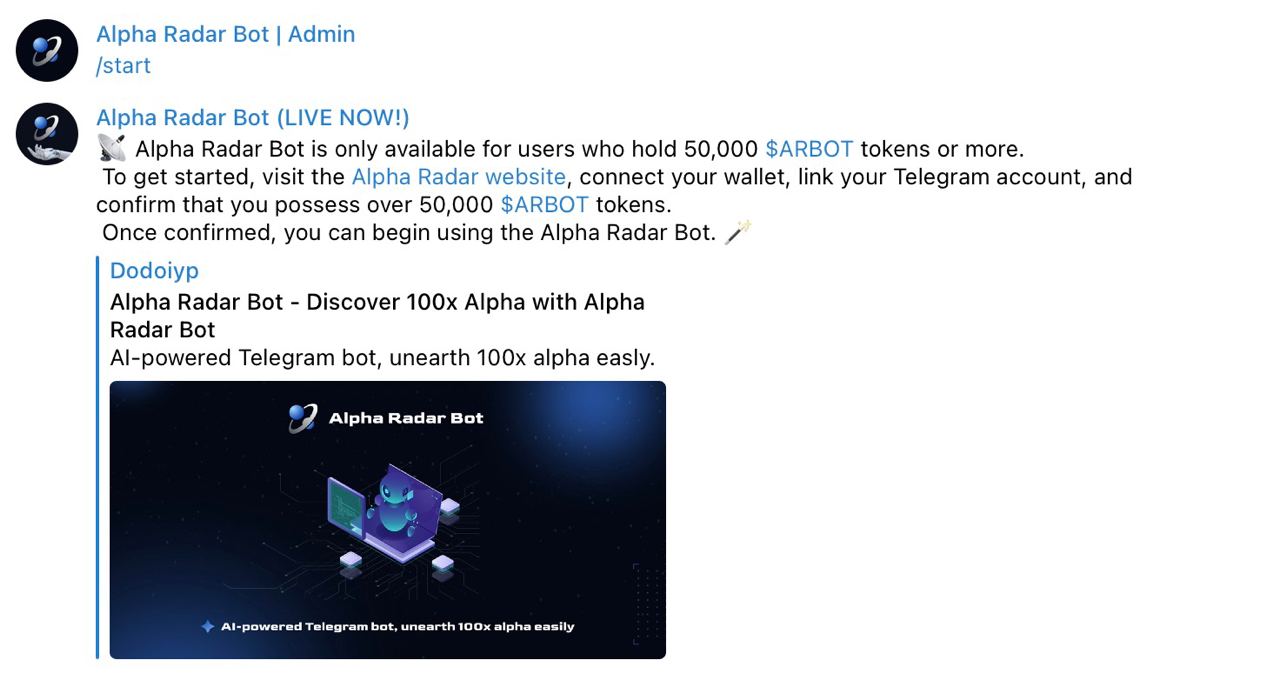
**Step 2**: Go to Alpha Radar Bot ([t.me/alpha\_radar\_bot](https://t.co/6dMj7kOUKC)), type "/start" command then you'll see the welcome message, click "Alpha Radar Website."
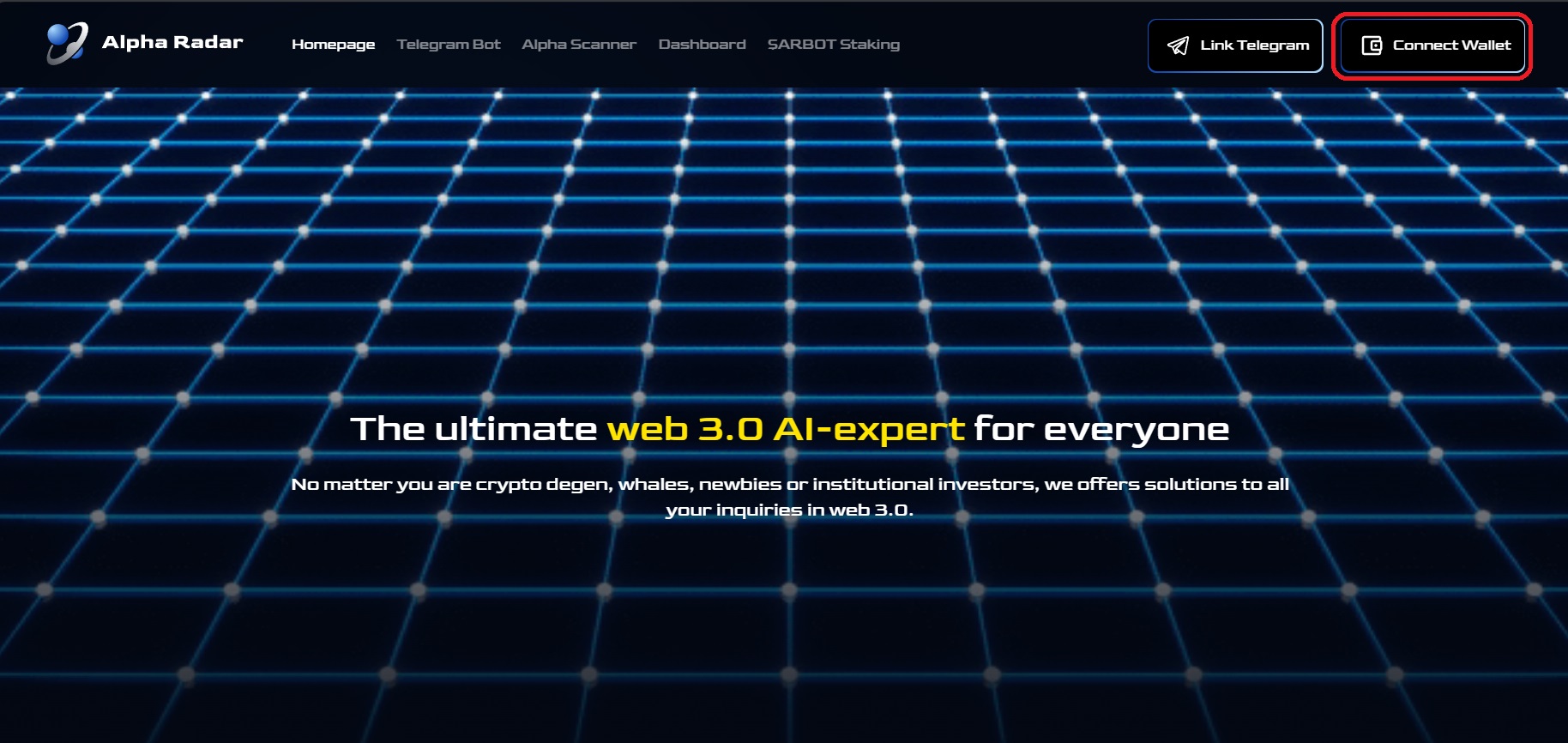
**Step 3:** Click "Connect Wallet" and confirm in your Metamask.
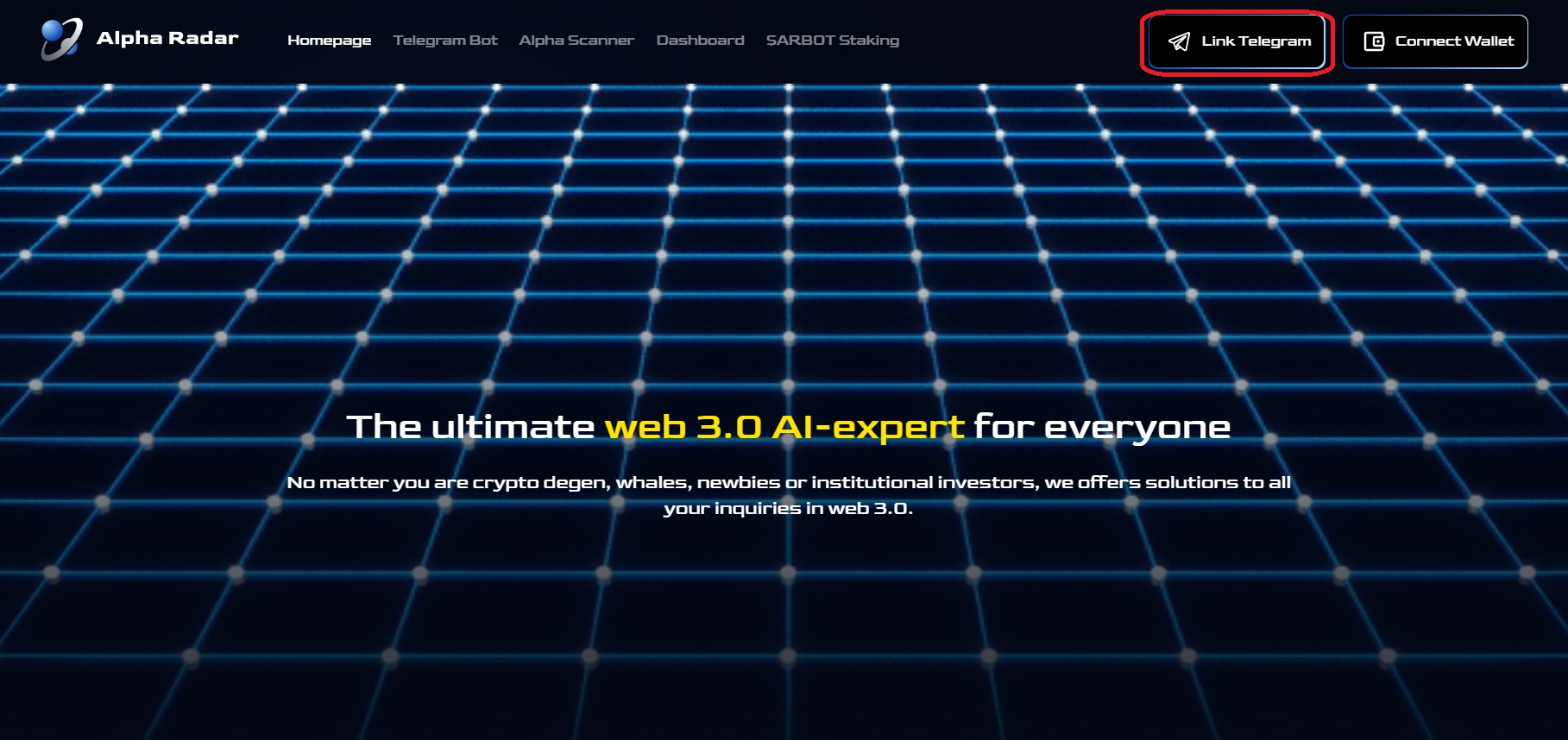
**Step 4:** Click "Link Telegram" and type your Telegram ID ( Important Note: Telegram ID is a series of numbers, **NOT the Telegram handle!! If you don't know your telegram ID, go back to telegram and type "/chat\_id" to get it** )

**Step 5:** After completing the above steps, please DM us your Telegram ID. Once confirmed, we will send you a private link. Click on that link to access the New Liquidity Scanner and enjoy complete information of Alphas!

NOTE: If you already have 200k ARBOT, you can access New Liquidity Scanner immediately after binding. If you purchase enough ARBOT after binding, you will have to **wait for one hour for accessing**.
.png?alt=media&token=06e90474-bab4-4a44-88b9-c682e30769d7)